

Keyboards
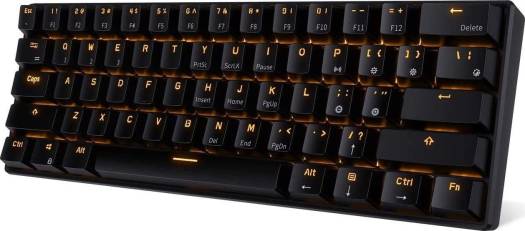
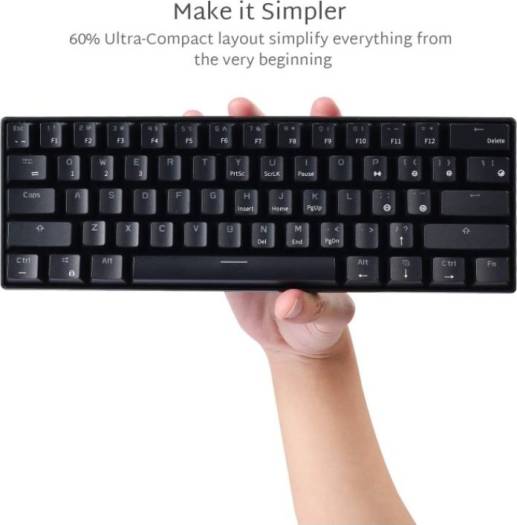
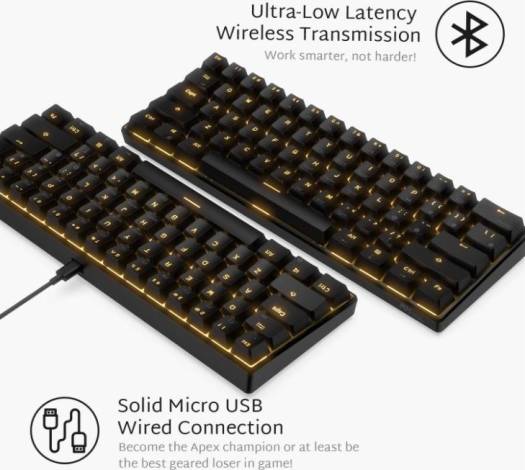
Rk Royal Kludge RK61 61 Keys Wired/Wireless Bluetooth 3.0 Multi-Device LED Backlit Mechanical Gaming/Office Keyboard for iOS, Android, Windows and Mac Blue Swith Black | 8541647869
206.35 د.إ
Switch wired/bluetooth mode (Updated Version) Wired mode: Switch on the back of the keyboard needs to be OFF with cable connected; Bluetooth mode: Switch ON with the cable disconnected (Old Version) Click FN+Tab to change into wired or Bluetooth mode; Bluetooth matching mode (Updated Version) Long-press FN + Q/W/E to activate Bluetooth pairing mode, Q/W/E will be flickering when the keyboard is able to be paired, backlit will stop flickering when the pairing is complete (Old Version) Long-press FN + P activate Bluetooth pairing mode… Switch arrow key function FN + Enter (Updated Version) FN + Right SHIFT (Old Version) SKU: SKU-9DF2B388 Category: Keyboards Brand: RK Royal Kludge
Based on 0 reviews
Be the first to review “Rk Royal Kludge RK61 61 Keys Wired/Wireless Bluetooth 3.0 Multi-Device LED Backlit Mechanical Gaming/Office Keyboard for iOS, Android, Windows and Mac Blue Swith Black | 8541647869”
Related products
-
Keyboards
Razer BlackWidow V4 Pro RGB Mechanical Gaming Keyboard, Razer Green Switches, Command Dial, 5 Dedicated Macros Keys, English US Layout, Detachable Type-C Cable, Black | RZ03-04680100-R3M1
 Keyboards
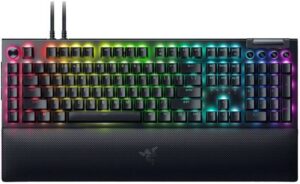
Razer BlackWidow V4 Pro RGB Mechanical Gaming Keyboard, Razer Green Switches, Command Dial, 5 Dedicated Macros Keys, English US Layout, Detachable Type-C Cable, Black | RZ03-04680100-R3M1
- SWITCH TYPE: Razer™ Green Mechanical Switches (Clicky)
- KEY FEEL: Tactile and Clicky
- APPROXIMATE SIZE: Full Size
- LIGHTING: Razer Chroma™ RGB
SKU: SKU-3D7D2D6F -
Keyboards
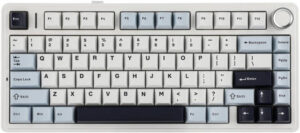
AULA F75 Gasket Wireless 75% Mechanical Keyboard, 80 Keys, 1000Hz Polling Rate, RGB Lighting, Hot Swappable, LEOBOG Greywood V3 Switch, NKRO, 4000mAh Battery, Tri-Mode, Light Blue | F75
 Keyboards
AULA F75 Gasket Wireless 75% Mechanical Keyboard, 80 Keys, 1000Hz Polling Rate, RGB Lighting, Hot Swappable, LEOBOG Greywood V3 Switch, NKRO, 4000mAh Battery, Tri-Mode, Light Blue | F75
- Layout: 75% (percentage layout)
- Number of Keys: 80 Keys
- Case Material: Plastic
- Structure: Gasket Mounted
SKU: SKU-7CC31BBC -
Keyboards
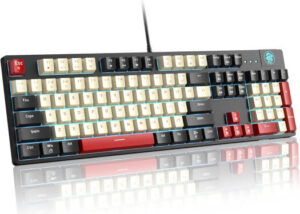
MageGee MK-Armor Wired Mechanical Keyboard, 104 Keys, Red Switch, Full Size, Blue LED Backlit, Ergonomic Design, OEM profile, 3-Color Keycaps, ENG Layout, Black/White | MK-Armor
 Keyboards
MageGee MK-Armor Wired Mechanical Keyboard, 104 Keys, Red Switch, Full Size, Blue LED Backlit, Ergonomic Design, OEM profile, 3-Color Keycaps, ENG Layout, Black/White | MK-Armor
- Number of Keys: 104
- Color & Switch Options: Black White, Red Switch
- Lighting: Ice Blue
- Size: 437x130x36mm
SKU: SKU-61F969FC -
Keyboards
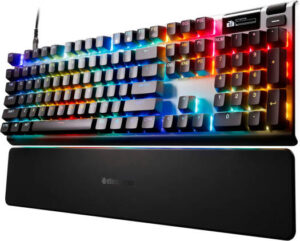
SteelSeries Apex Pro Gen 3 Full Size Mechanical Gaming Keyboard, OmniPoint 3.0 Adjustable HyperMagnetic Switches, Double Shot PBT Keycaps, US English Layout, Wired Connectivity, Black | 64660
 Keyboards
SteelSeries Apex Pro Gen 3 Full Size Mechanical Gaming Keyboard, OmniPoint 3.0 Adjustable HyperMagnetic Switches, Double Shot PBT Keycaps, US English Layout, Wired Connectivity, Black | 64660
- Key Switches: OmniPoint 3.0 Adjustable HyperMagnetic Switches (Analog Hall Effect Magnetic Sensor)
- Switch Rating: Up to 100 million keystrokes
- On-Board Memory: 5 Custom Profiles
- Processor: 32 bit ARM
SKU: SKU-A90265B7
There are no reviews yet.